
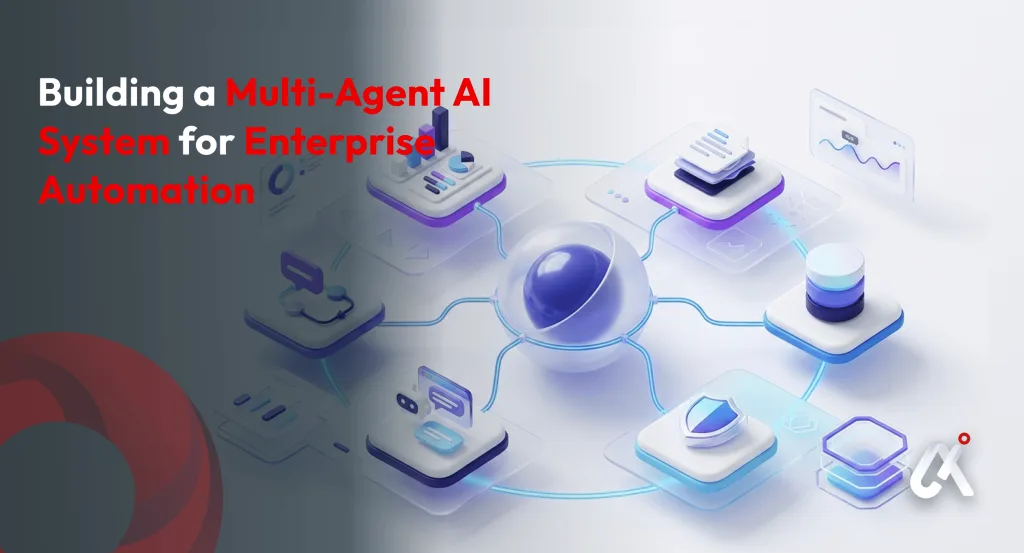
1. Introduction: Why Multi-Agent AI Is the Future of Enterprise Automation
Enterprise automation is at a turning point. The first wave brought robotic process automation (RPA) — rules-based bots that could click buttons and move data. The second wave gave us single-model AI capable of language understanding. But neither was built for the messy, multi-step, cross-department complexity that defines real enterprise operations.
Enter the multi-agent AI system, a networked architecture of specialized, autonomous AI agents that collaborate, delegate, and decide, all without constant human oversight.
According to Gartner, by 2028 more than 33% of enterprise software applications will include agentic AI, up from under 1% in 2024. Meanwhile, McKinsey estimates that generative AI and advanced automation could unlock $4.4 trillion in annual productivity value across industries.
For enterprise leaders, CTOs, VPs of Engineering, AI Architects, and Digital Transformation Officers, this is not a future to plan for. It is a present to act on.
Why This Guide?:
This guide is written specifically for enterprise decision-makers and technical leads exploring multi-agent AI for the first time or looking to move from proof-of-concept to production. Every section is designed to give you both strategic context and actionable implementation steps.
Ready to explore what a custom multi-agent AI system could look like for your enterprise?
Talk to Our AI Development Experts at Aipxperts
2. What Is a Multi-Agent AI System? (And Why It Differs from Single-Agent AI)
A multi-agent AI system (MAS) is an architecture in which multiple AI agents, each with its own goals, memory, tools, and decision-making logic, collaborate to complete tasks that are too complex, too long, or too domain-specific for any single model to handle effectively.
Think of it like a high-functioning enterprise team: one agent is the project manager (orchestrator), another is the data analyst, another handles customer communications, and yet another monitors compliance. Each agent uses the best available tool for its job; all of them share information through a structured communication protocol.
| Dimension | Single-Agent AI | Multi-Agent AI System |
|---|---|---|
| Task Scope | One task, one context window | Multi-step, multi-domain tasks |
| Parallelism | Sequential execution | Parallel and asynchronous execution |
| Specialization | Generalist model | Specialist agents per function |
| Scalability | Limited by token/context limits | Horizontally scalable |
| Failure Tolerance | Single point of failure | Redundancy and fallback routing |
| Memory | In-context only | Shared + per-agent long-term memory |
| Enterprise Fit | Low-to-medium complexity tasks | High-complexity enterprise workflows |
Key terminology LLMs, enterprise architects, and AI procurement teams use when discussing multi-agent systems:
- Agentic AI — AI systems capable of taking autonomous actions over extended horizons
- Orchestrator Agent, the central agent that plans, delegates, and monitors sub-agents
- Sub-Agents / Worker Agents — specialized agents that execute specific task types
- Tool-Use / Function Calling — agents calling external APIs, databases, or services
- Agent Memory — short-term (in-context) and long-term (vector store / database) memory
- Agentic Loop / ReAct Loop, the Reason-Act-Observe cycle each agent follows
- Human-in-the-Loop (HITL) — checkpoints where humans approve high-stakes agent decisions
- LLM Backbone, the large language model powering each agent’s reasoning
Q: What is the difference between an AI agent and a multi-agent system?
A: A single AI agent uses an LLM to reason and take actions in a specific context. A multi-agent system (MAS) is a coordinated network of such agents, each specialized for a task domain, working together through shared memory, tool-use APIs, and an orchestration layer. The MAS architecture enables enterprise-scale automation that exceeds what any single agent can accomplish.
3. Who Should Build a Multi-Agent AI System? — Reader Persona Breakdown
Before diving into architecture, it is worth identifying whether your organization is ready for a multi-agent AI build. Here are the three primary personas for this guide:
Persona A: The Enterprise CTO / VP of Engineering
You are evaluating AI investment priorities. You have likely already deployed some generative AI tools, perhaps a chatbot or a copilot, and are now asking: how do we move from AI features to AI-powered operations?
- Your priority: ROI, integration with existing systems, governance, and security
- Your key question: Where does a multi-agent system deliver measurable cost reduction or revenue impact?
- Your next step: Identify 2–3 high-volume, repetitive, multi-step workflows in your business
Persona B: The AI Architect / Senior Engineer
You are tasked with designing or evaluating a multi-agent system. You understand LLMs, APIs, and cloud infrastructure. You need a clear blueprint for agent topology, orchestration frameworks, and production deployment.
- Your priority: Technical soundness, latency, reliability, and maintainability
- Your key question: Which orchestration framework fits our stack, and how do we manage agent state at scale?
- Your next step: Read sections 4, 5, and 6 of this guide carefully
Persona C: The Digital Transformation Officer / Operations Leader
You are responsible for a specific enterprise function, HR, finance, supply chain, customer service, and want to apply AI automation to improve throughput, reduce errors, and free up your team for higher-value work.
- Your priority: Process outcomes, change management, and measurable efficiency gains
- Your key question: What does a multi-agent system look like applied to my specific workflow?
- Your next step: Jump to Section 7 for industry-specific use cases
Regardless of which persona you identify with, Aipxperts works at every level, from strategic AI consulting to full-stack agent development.
Explore Our AI Consulting Services
4. Core Architecture of a Multi-Agent AI System
A production-grade multi-agent AI system for enterprise automation typically consists of four architectural layers. Understanding each layer is critical before writing a single line of code.
4.1 The Orchestrator Agent
The orchestrator is the “brain” of the multi-agent system. It receives a high-level goal from the user or a triggering event, decomposes it into sub-tasks, assigns those tasks to the right specialist agents, monitors their outputs, handles errors, and synthesizes the final result.
Key responsibilities of the orchestrator agent:
- Goal decomposition: Breaking a complex task into sequenced or parallel sub-tasks
- Agent selection: Routing each sub-task to the most capable specialist agent
- State management: Tracking progress, intermediate outputs, and task dependencies
- Error handling: Detecting agent failures and triggering retries or alternative paths
- Output synthesis: Aggregating sub-agent results into a coherent, actionable response
Common implementation: The orchestrator is typically powered by a frontier LLM (GPT-4o, Claude 3.5, Gemini 1.5 Pro) with a detailed system prompt, a plan-and-execute loop, and access to a task queue.
4.2 Specialized Sub-Agents
Sub-agents are the workhorses of the system. Each is optimized, through its prompt, tools, and fine-tuning, for a specific task domain. Typical enterprise sub-agents include:
- Research Agent: Searches internal knowledge bases, the web, or proprietary databases
- Data Analysis Agent: Queries SQL/NoSQL databases, runs calculations, generates reports
- Document Agent: Creates, summarizes, and extracts structured data from documents
- Communication Agent: Drafts emails, Slack messages, or CRM notes
- Code Agent: Writes, reviews, or debugs code; calls development APIs
- Compliance Agent: Checks outputs against regulatory rules and company policies
- Workflow Agent: Triggers actions in enterprise systems (ERP, HRMS, CRM, ticketing tools)
Each sub-agent runs its own ReAct (Reason-Act-Observe) loop, using its assigned tools to complete its specific task and return a structured output to the orchestrator.
4.3 Memory & Context Management
One of the biggest limitations of single-agent AI is context window overflow, the agent simply “forgets” what happened earlier in long tasks. Multi-agent systems solve this with a layered memory architecture:
| Memory Type | Description | Implementation |
|---|---|---|
| In-Context Memory | Active task data within the current session | LLM context window |
| Short-Term Memory | Shared working memory between agents in a session | Redis / in-memory store |
| Long-Term Memory | Persistent knowledge and past interaction summaries | Vector DB (Pinecone, Weaviate, pgvector) |
| Episodic Memory | Record of past agent actions and outcomes | SQL/NoSQL log store |
| Semantic Memory | Domain knowledge, policies, documents | Embedding + vector search |
For enterprise deployments, long-term and semantic memory are critical. Your agents need to be able to reference company policies, historical decisions, customer data, and institutional knowledge without re-loading it into context every time.
4.4 Tool-Use Layer & External Integrations
Agents without tools are just language models. The tool-use layer is what makes multi-agent systems actually useful in enterprise environments. Each agent is equipped with a curated set of tools it can invoke:
- Search tools: Semantic search over internal documents, web search APIs
- Database tools: Read/write access to SQL databases, data warehouses, CRMs
- API tools: REST/GraphQL calls to enterprise systems — Salesforce, SAP, ServiceNow, Jira
- Code execution: Sandboxed Python/JS execution for data analysis and scripting
- File tools: Reading and writing PDFs, spreadsheets, and structured documents
- Communication tools: Email (Gmail/Outlook API), Slack, Teams integrations
- Monitoring tools: Logging, alerting, and observability integrations (Datadog, Grafana)
At Aipxperts, our AI Agent Development Services include full tool-use architecture design and enterprise system integration, from CRM connectors to custom ERP APIs.
5. Step-by-Step: How to Build a Multi-Agent AI System for Enterprise
Building a production-grade multi-agent AI system is a structured engineering process. Here is a phased implementation roadmap designed specifically for enterprise environments:
Phase 1: Discovery & Workflow Mapping (Weeks 1–2)
- Identify the target workflow: Choose a high-volume, multi-step process that currently requires multiple human handoffs. Examples: invoice processing, IT ticket triage, customer onboarding, supply chain exception handling.
- Map the workflow in detail: Document each step, the decision logic at each step, the data sources accessed, the systems involved, and the people responsible.
- Define success metrics: Establish baseline KPIs, average handling time, error rate, cost per transaction, throughput, that you will use to measure ROI post-deployment.
- Assess data readiness: Evaluate the quality, accessibility, and completeness of the data your agents will need. This is the most common cause of multi-agent project delays.
Phase 2: Agent Design & Architecture (Weeks 3–4)
- Define agent topology: Based on your workflow map, determine how many agents you need, what each one will do, and how they will communicate (sequential, parallel, or hybrid).
- Select your LLM backbone: Choose the LLM (or LLMs) that will power your agents. Consider cost, latency, context window, and whether you need on-premise deployment for compliance reasons.
- Design the orchestration flow: Create a detailed diagram of how the orchestrator routes tasks, how agents communicate their outputs, and what triggers human escalation.
- Define tool interfaces: Specify exactly which APIs, databases, and services each agent needs access to. Begin the security and access control design for each integration.
Phase 3: Development & Integration (Weeks 5–10)
- Set up your orchestration framework: Implement your chosen framework (LangGraph, AutoGen, CrewAI — see Section 6) and configure the orchestrator agent with your task decomposition logic.
- Build and test each sub-agent independently: Develop each specialist agent with its tool-use configuration, system prompt, and memory access. Test each in isolation before integration.
- Integrate enterprise system connectors: Connect your agents to CRM, ERP, HRMS, or other enterprise systems using secure API integrations. Implement OAuth, API key management, and rate limiting.
- Implement shared memory and state management: Set up your vector database for long-term memory and your shared context store for session-level state between agents.
- Build the human-in-the-loop checkpoints: Define and implement the specific decision points where agents must pause and request human approval before proceeding.
Phase 4: Testing, Evaluation & Safety (Weeks 11–13)
- Unit test each agent: Validate tool-use accuracy, output format adherence, and edge case handling for each individual agent.
- Integration testing: Run full end-to-end workflow tests with realistic enterprise data. Monitor for agent miscommunication, infinite loops, and context bleed between tasks.
- Red-team for adversarial inputs: Test how your agents respond to ambiguous, conflicting, or malicious inputs. Implement guardrails using content filtering and output validation layers.
- Latency and throughput benchmarking: Measure end-to-end task completion time and cost per workflow run. Optimize by caching, parallelizing agents where possible, and using smaller models for simpler sub-tasks.
Phase 5: Deployment & Monitoring (Week 14+)
- Deploy to production infrastructure: Use containerized deployment (Docker/Kubernetes) for scalability. Implement auto-scaling based on task queue depth.
- Instrument observability: Set up comprehensive logging for every agent action, tool call, and decision. Use dashboards to monitor task completion rates, error rates, and cost per run.
- Establish a feedback loop: Capture human feedback on agent outputs and use it to iteratively refine system prompts, tool configurations, and orchestration logic.
- Plan for continuous improvement: Multi-agent systems improve over time. Schedule regular evaluation cycles, prompt refinements, and model updates as newer LLMs become available.
Want us to handle the entire build: from discovery to deployment?
6. Best Frameworks for Multi-Agent AI Development in 2025–2026
Choosing the right orchestration framework is one of the most consequential technical decisions in a multi-agent build. Here is a practical comparison of the leading options:
| Framework | Best For | Key Strengths | Enterprise Readiness |
|---|---|---|---|
| LangGraph | Complex stateful workflows | Graph-based control flow, built-in persistence, HITL support | High: production-proven |
| AutoGen (Microsoft) | Multi-agent conversations | Code execution, dynamic agent spawning, GPT-4 optimized | High: enterprise support |
| CrewAI | Role-based agent teams | Simple YAML config, great for non-engineers, fast prototyping | Medium: growing ecosystem |
| LlamaIndex Workflows | RAG-heavy pipelines | Best-in-class retrieval, tight vector DB integration | High: strong for data-heavy use cases |
| LangChain Agents | Tool-use heavy tasks | Largest tool ecosystem, extensive integrations | High: widely adopted |
| Semantic Kernel (MS) | .NET / Java enterprises | Native Azure integration, enterprise security | Very High: Microsoft backed |
| Custom (from scratch) | Unique enterprise needs | Maximum control, no framework constraints | Depends on team capability |
Framework Selection Guidance
- For most enterprises starting their first multi-agent project: Start with LangGraph or CrewAI for rapid iteration, then migrate to a more controlled architecture for production.
- For Microsoft Azure shops: Semantic Kernel integrates natively and offers enterprise-grade security and compliance controls.
- For data-heavy workflows: LlamaIndex Workflows combined with a managed vector database (Pinecone, Weaviate, or pgvector) is the strongest choice.
- For teams prioritizing modularity and customization: LangSmith provides a flexible framework for building custom agent architectures.
Q: What is the best framework for building enterprise multi-agent AI systems?
A: There is no single best framework, the right choice depends on your use case, tech stack, and team. LangGraph is excellent for complex stateful workflows with human-in-the-loop requirements. AutoGen excels at code-generation and conversational multi-agent tasks. For RAG-heavy pipelines, LlamaIndex Workflows is the strongest option. Aipxperts recommends evaluating at least two frameworks against your specific workflow requirements before committing to one.
Aipxperts has deep expertise across all major agent frameworks. Our Generative AI Development Services team helps enterprises select, configure, and customize the right orchestration stack for their specific automation goals.
7. Real-World Enterprise Use Cases for Multi-Agent AI Systems
The most powerful way to understand multi-agent AI is to see it applied to real enterprise workflows. Below are six high-impact use cases, each representing tens of thousands of hours of annual human effort that can be automated or significantly augmented.
Use Case 1: Intelligent Customer Support & Escalation Management
A multi-agent customer support system handles incoming tickets at scale. A triage agent classifies the ticket type and urgency, a research agent pulls relevant knowledge base articles and customer history, a response agent drafts a personalized reply, and a compliance agent checks it against communication policies — all before a human ever sees it.
- Impact: 60–80% reduction in first-response time; significant reduction in tier-1 agent workload
- Agents involved: Triage Agent, Knowledge Research Agent, Response Drafting Agent, Compliance Agent
- Tools: CRM API, knowledge base vector search, ticketing system (Zendesk/ServiceNow), email API
Use Case 2: Automated Financial Close & Reporting
Enterprise finance teams spend days each month reconciling accounts, running variance analysis, and preparing board-level reports. A multi-agent finance system can automate the entire close cycle: data extraction, reconciliation logic, anomaly flagging, narrative generation, and report assembly.
- Impact: Monthly close time reduced from days to hours; near-zero manual reconciliation errors
- Agents involved: Data Extraction Agent, Reconciliation Agent, Anomaly Detection Agent, Report Writing Agent
- Tools: ERP API (SAP, NetSuite), SQL database agent, document generation tool, email delivery
Use Case 3: AI-Powered Recruitment & Talent Operations
This is a use case with direct relevance to workforce management platforms like the one built for First Class Workforce, a staffing and HR management platform developed by Aipxperts. A multi-agent recruitment system can autonomously screen applications, match candidates to role requirements, schedule interviews, generate offer letters, and trigger onboarding workflows.
Aipxperts has direct experience building AI-powered workforce management systems. Our AI Development Services team designed and built a full-stack staffing platform that integrates AI-powered talent matching, automated scheduling, and real-time workforce analytics.
- Impact: Time-to-fill reduced by 50–70%; recruiter capacity freed for relationship work
- Agents involved: Screening Agent, Matching Agent, Scheduling Agent, Onboarding Trigger Agent
- Tools: ATS API, calendar integration, email/SMS API, HRMS connector
Use Case 4: Supply Chain Monitoring & Exception Handling
Supply chain disruptions cost global enterprises hundreds of billions annually. A multi-agent supply chain system continuously monitors supplier performance, inventory levels, and logistics data, automatically detecting exceptions and triggering resolution workflows, re-routing shipments, issuing POs, or alerting account managers, before a human even knows there is a problem.
- Impact: 40–60% reduction in manual exception handling; faster MTTD/MTTR for supply disruptions
- Agents involved: Monitoring Agent, Exception Classifier, Resolution Agent, Communication Agent
- Tools: ERP API, logistics platform APIs, supplier portal integrations, alert/notification systems
Use Case 5: IT Operations & Incident Response
IT operations teams are perpetually overwhelmed with alerts, tickets, and repetitive diagnostic tasks. A multi-agent IT ops system can triage infrastructure alerts, run automated diagnostics, cross-reference known-issue databases, apply standard fixes for common problems, and escalate novel issues to the right engineer, with full context already assembled.
If your enterprise needs a custom AI-powered operations platform, Aipxperts builds end-to-end solutions tailored to your infrastructure and toolchain.
- Impact: MTTR reduced by 40–70%; on-call engineer fatigue significantly reduced
- Agents involved: Alert Triage Agent, Diagnostics Agent, Remediation Agent, Escalation Agent
- Tools: Monitoring APIs (Datadog, Grafana), ITSM connectors (ServiceNow, Jira), runbook execution
Use Case 6: Compliance & Regulatory Reporting
Compliance operations are highly manual, high-stakes, and ripe for intelligent automation. A multi-agent compliance system can monitor transactions for policy violations, automatically compile evidence packages for audits, generate regulatory reports in required formats, and flag emerging compliance risks from news feeds and regulatory updates.
Aipxperts’ LLM Development Services enable fine-tuned language models purpose-built for compliance classification and regulatory document generation.
- Impact: Audit preparation time reduced by 70–80%; near-real-time compliance monitoring
- Agents involved: Transaction Monitor Agent, Evidence Compiler, Report Generator, Risk Flagging Agent
- Tools: Transaction database, regulatory knowledge base (vector search), document generation, alert APIs
Recognized your use case? Let us scope the right multi-agent architecture for it.
Book a Free Technical Consultation
8. Multi-Agent AI vs. Traditional Automation: A Side-by-Side Comparison
For enterprise leaders who have invested in RPA, workflow automation, or rule-based systems, the natural question is: when does it make sense to upgrade to a multi-agent AI system? This table provides clarity:
| Factor | Traditional RPA/Automation | Multi-Agent AI System |
|---|---|---|
| Task Type | Structured, rule-based, repetitive | Unstructured, judgment-intensive, variable |
| Exception Handling | Requires human intervention | Agents reason through exceptions autonomously |
| Adaptability | Brittle to process changes | Adapts to new instructions and contexts |
| Language Understanding | None (screen scraping only) | Native NLP and semantic understanding |
| Data Sources | Structured, pre-mapped only | Structured, semi-structured, and unstructured |
| Maintenance | High: rules break when UI changes | Low: prompt updates vs. code rewrites |
| Learning | Static: does not improve over time | Improves with feedback loops and fine-tuning |
| Cost Model | High upfront, low variable | Low upfront (API-based), scales with volume |
| Build Time | Weeks–months for complex flows | Weeks for MVP, months for enterprise-grade |
| Best For | High-volume, perfectly stable workflows | Complex, variable, judgment-heavy workflows |
When to Stick with RPA vs. When to Move to Multi-Agent AI
If you have a workflow that is 100% structured, never changes, and runs millions of times per month (e.g., payroll calculation, structured data ETL), RPA may still be the more cost-effective choice. But if your workflow involves natural language, judgment calls, exceptions, or multi-system coordination, multi-agent AI delivers dramatically better outcomes.
9. Key Challenges in Building Multi-Agent AI Systems (and How to Overcome Them)
Multi-agent AI development is not without its challenges. Understanding them upfront saves enterprises significant time, cost, and frustration during deployment.
1
Challenge 1: Agent Coordination & Communication Failures
Agents may misinterpret each other’s outputs, create conflicting plans, or enter deadlocks where no agent moves forward.
Solution: Define strict output schemas for every agent using Pydantic or JSON Schema validation. Use structured inter-agent message formats. Implement deadlock detection with timeout-and-retry logic.
2
Challenge 2: Context Window Overflow in Long Tasks
Complex multi-step tasks can overflow even the largest context windows available today, causing agents to lose critical information mid-task.
Solution: Implement aggressive context compression strategies — summarization, key-entity extraction, and offloading to long-term memory. Design agents to work with focused, task-specific context windows rather than the full conversation history.
3
Challenge 3: Hallucination and Factual Reliability
LLM-based agents can generate plausible-sounding but incorrect outputs, which is unacceptable in enterprise contexts (finance, compliance, medical, legal).
Solution: Ground agents with retrieval-augmented generation (RAG) over authoritative enterprise data sources. Add a dedicated verification agent that cross-checks factual claims. Implement confidence scoring and human escalation for low-confidence outputs.
4
Challenge 4: Security & Data Governance
Agents with broad tool access and enterprise data connections create significant security risks if not properly governed.
Solution: Implement least-privilege tool access — each agent only gets the tools it absolutely needs. Use OAuth 2.0 for all external integrations. Log all agent actions in an immutable audit trail. Deploy within your enterprise security perimeter (VPC/private cloud) where required by compliance.
5
Challenge 5: Cost Management at Scale
Running multiple frontier LLM calls per workflow step can become expensive quickly in high-volume enterprise deployments.
Solution: Use a tiered model strategy — route simple sub-tasks to smaller, cheaper models (GPT-4o-mini, Claude Haiku) and reserve frontier models for complex reasoning steps. Implement aggressive caching for repeated tool calls and common sub-task outputs.
6
Challenge 6: Evaluation and Observability
Unlike traditional software, multi-agent systems are non-deterministic. The same input can produce different outputs, making traditional QA approaches insufficient.
Solution: Build a dedicated evaluation harness with golden-dataset test cases, output scoring functions, and automated regression testing. Instrument every agent action with structured logging. Use tools like LangSmith, Arize AI, or custom dashboards for production observability.
Q: How do you ensure reliability in a production multi-agent AI system?
A: Production reliability in multi-agent AI systems requires four layers: (1) Output validation — every agent output is parsed and validated against a strict schema before being passed to the next agent; (2) Observability — full structured logging of every LLM call, tool invocation, and agent decision; (3) Human-in-the-loop checkpoints — high-stakes decisions require human approval before execution; and (4) Graceful degradation — when an agent fails, the system falls back to a simpler, deterministic path rather than crashing the entire workflow.
If you are concerned about building a reliable, secure, enterprise-grade multi-agent system in-house, consider Aipxperts’ end-to-end AI Development Services.
We handle architecture, development, security review, and production deployment.
10. Frequently Asked Questions (FAQ)
The following questions are optimized for AEO (Answer Engine Optimization) and GEO (Generative Engine Optimization) to maximize visibility in AI-powered search results, Google AI Overviews, and large language model responses.
Q: What is a multi-agent AI system?
A: A multi-agent AI system is an architecture where multiple autonomous AI agents, each with a specialized role, its own memory, and access to specific tools, collaborate to complete complex, multi-step tasks. Unlike a single AI model, a multi-agent system can parallelize work, handle exceptions autonomously, and scale to enterprise-grade workflows across departments.
Q: How long does it take to build a multi-agent AI system for enterprise?
A: A well-scoped MVP can be built in 4–8 weeks. A full production deployment for an enterprise workflow, including integration with existing systems, security hardening, human-in-the-loop workflows, and comprehensive testing, typically takes 3–6 months. The timeline depends heavily on data readiness, integration complexity, and the number of agents required.
Q: What are the best use cases for multi-agent AI in enterprises?
A: The highest-ROI enterprise use cases for multi-agent AI include: intelligent customer support and ticket triage, automated financial close and reporting, AI-powered recruitment and talent operations, supply chain monitoring and exception handling, IT operations and incident response automation, and compliance monitoring and regulatory reporting. Any workflow that involves multiple decision steps, multiple data sources, and significant human handoffs is a strong candidate.
Q: What is the cost of building a multi-agent AI system?
A: Costs vary widely based on complexity. A focused MVP for a single workflow can be built for $25,000–$75,000. A full enterprise deployment with multiple workflows, deep system integrations, and custom LLM fine-tuning typically ranges from $150,000 to $500,000+. Ongoing operational costs depend on LLM API usage volume and infrastructure. Cloud-native, API-based architectures typically have lower upfront costs than on-premise deployments.
Q: Do multi-agent AI systems require custom LLMs or can they use existing models?
A: Most enterprise multi-agent systems are built using frontier models (GPT-4o, Claude 3.5, Gemini 1.5) as the LLM backbone, accessed via API. Custom fine-tuning is valuable when you need agents to follow highly specific output formats, reason about proprietary domain knowledge, or perform tasks where general-purpose models consistently underperform. Aipxperts offers both API-based agent development and custom LLM fine-tuning.
Q: How do multi-agent AI systems handle sensitive enterprise data?
A: Enterprise multi-agent systems are designed with data security as a first principle. Best practices include: least-privilege tool access per agent, OAuth 2.0 for all external integrations, data encryption at rest and in transit, PII redaction before data enters the LLM context, deployment within private cloud or on-premise environments for regulated industries, and comprehensive audit logging for every agent action. Compliance with SOC 2, GDPR, HIPAA, and other standards is achievable with proper architecture.
Q: What is agentic AI and how does it relate to multi-agent systems?
A: Agentic AI refers to AI systems that can take sequences of actions autonomously over extended time horizons to accomplish a goal. A multi-agent system is the architectural pattern used to build agentic AI at enterprise scale — where multiple specialized agents collaborate rather than a single model attempting everything. Agentic AI represents the third wave of enterprise AI adoption, following pure language models and single-function AI tools.
Have a specific question about multi-agent AI for your enterprise use case?
12. Conclusion: Your Multi-Agent AI Journey Starts Now
The case for multi-agent AI systems in enterprise automation has never been stronger, or clearer. As LLMs become more capable, orchestration frameworks mature, and the cost of intelligence drops year over year, the competitive moat for enterprises that move early will be significant.
You have now seen the full picture: what a multi-agent system is, how it differs from single-agent AI and traditional automation, who it is built for, and how to build one from discovery through production deployment. You have a framework comparison, a real-world use case library, a challenge-by-challenge solution guide, and an AEO-ready FAQ that positions this content for AI search dominance.
The next step is yours to take. Whether you are at the ideation stage, evaluating frameworks, or ready to start development, the right conversation with the right team can compress months of research into a week of action.
Explore More from Aipxperts
- Custom multi-agent system development for enterprise workflows
- Full-stack AI application development, from architecture to deployment
- Custom generative AI models and automation pipelines
- Fine-tuned language models for enterprise-specific reasoning and classification
- Strategic AI roadmap development and proof-of-concept advisory
- Rapid prototype development to validate your AI automation concept before full investment
- Guides, tutorials, and insights on AI, automation, and enterprise technology